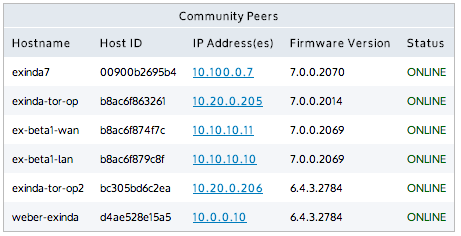
A group of Exinda appliances in a network is referred to as a community. Exinda appliances that are part of the same community can accelerate to and from each other. Generally, Exinda appliances automatically discover each other when attempting application acceleration, however, if an appliance is not automatically discovered, you can manually add the Exinda appliance to the community. When the IP address of a manually added Exinda appliance changes, the community node must be updated as well.
Figure - List of automatically discovered Exinda appliances

|
Version Info:
|
|---|
 Where to configure it
To manually add an Exinda appliance to the community
Where to configure it
To manually add an Exinda appliance to the community
In the Manually Add New Community Node area, type a Name for the Exinda appliance.
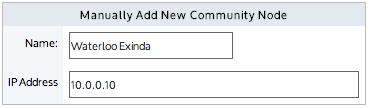
Click Apply Changes.
The appliance is added to the list of manually added community nodes.
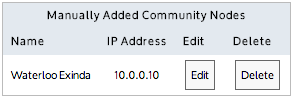
To update the IP address of a manually added Exinda appliance in a community
To remove a manually added Exinda appliance from the community
If you want this appliance to join a community that was created for pre-6.4 appliances
Appliances with version 6.4.0 or later don't need to manage communities unless you want a 6.4.0+ appliance to join a community created for a pre-6.4.0 appliance group.
Note that an Exinda appliance can belong to multiple community groups. By default, all appliances belong to the community group with Group ID 0. As a security measure, the Community Group ID can be used like a PIN to restrict access to any other Exinda appliance from joining your community.
Consider a network where there are two WAN links (a VPN-based WAN and a MPLS-based WAN), and there are appliances on each link and a data-center appliance that accesses both WAN links.
Assume you want:
For this scenario, configure the community groups as follows:
Exinda appliances at VPN-based sites: Community Group ID: 10
Exinda appliances at MPLS-based sites: Community Group ID: 20
Exinda appliance at Datacenter Community Group ID: 10 and 20
In the Community Compatibility Settings section, select Support version (pre v6.4.0) Enabled.
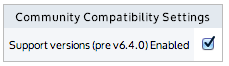
Click Apply Changes.
The Community Groups areas are displayed.
To identify the community groups that the appliance can join, in the Add New Community Group ID (pre v6.4.0) section, type the number in the Group ID field.
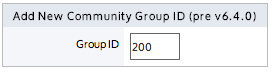
Click Add New Community Group ID.
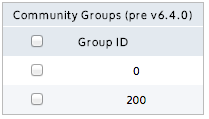
The list of groups that this appliance belongs to is presented in the Community Groups (pre v6.4.0) list.
|
|
|